How does model quantization impact its quality?

Could you guess which Qwen3.6 27B quantization was used? The largest 8-bit, the smallest 2-bit, or something in between?
Not long ago, I was raving about Qwen3.6 27B. The Hacker News discussion was about whether you need a beast or can use a much smaller machine.
Even an 8-bit model required less than 45 GB of RAM - a lot for an NVIDIA card (an RTX 5090 has 32 GB), but doable for a strong Apple silicon laptop.
But with a smaller quantization we can go much smaller - less than 30 GB for Q4_K_M, and less than 18 GB for the smallest 2-bit quantization, UD-IQ2_XXS.
I was curious how quantization affects the result. We see how it affects results: by typical probability measurements, looking at SVG with pelicans and gears, and running benchmarks. Burned 37 hours on my own laptop (generating 3.9 million tokens) and $1,430 on GPUs in the cloud - so you don’t have to.
Quantizations
Model quantization is a lossy compression. If you like, you can do it in a few minutes with llama.cpp:
llama-quantize Qwen3.6-27B-BF16-00001-of-00002.gguf \  # input weights
  Qwen3.6-27B-Q4_K_M-llama.gguf \  # output file
  Q4_K_M  # quantization
But usually you get better results when it is done with care - downloading one from Hugging Face by Bartowski or Unsloth.
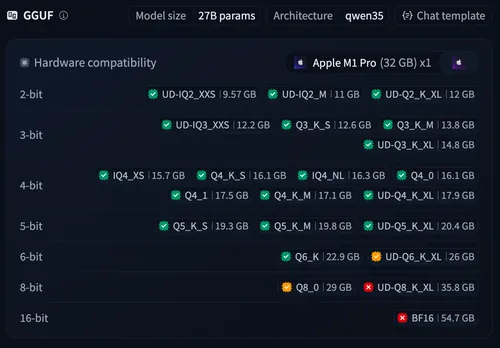
All GGUF quantizations of Qwen3.6 27B by Unsloth, from 9.6 GB
(UD-IQ2_XXS) to 54.7 GB (BF16).
The names split into a few families, which are the colors in every chart below (IQ and legacy quants share one):
- Standard K-quants (
Q4_K_M,Q6_K) are the llama.cpp default. They store weights in small blocks, with a shared scale per block. The_S/_M/_Lsuffix tells how many tensors stay at higher precision. - IQ quants (
IQ4_XS,IQ4_NL) compress with a codebook and an importance matrix. - Legacy quants (
Q4_0,Q4_1) are the oldest formats. They just round to the nearest value. - Unsloth Dynamic (UD) (
UD-Q4_K_XL) checks which tensors are the most sensitive to compression, and gives them more bits.
Statistical measures
Models predict tokens, so we can measure how far the quantized model’s probability distribution drifts from the original.
Kullback-Leibler divergence
One statistical measure is Kullback-Leibler (KL) divergence, also known as relative entropy. In short, it is how unexpected results from the new distribution are with respect to the original distribution.
Here the reference BF16 is not shown, as it would be zero, which does not work on a logarithmic scale.
However, this chart does not answer one core question - does the difference actually matter?
Top-1
A simpler one: how often the quantized model picks the same most likely token as the original. This is what matters at temperature 0, where only the top token gets used.
Here we see that Q8_0 is 99.3%, so almost the same as the original. Then things fall off as models get smaller.
Collision cross-entropy
However, if we work at temperature 1, we need to look at all tokens. Even running the same model twice gives different results. We can measure the chance of getting the same token as the reference.
For BF16 compared with itself, it is 48.5%. For others, we see that this range stays largely the same, until there is a sharp drop around 3-bit quantization.
Perplexity
Another measure is how well we can predict the next token of a text, perplexity, e^(log-loss): roughly, between how many equally likely tokens the model picks at each step. Putting it here for the sake of completeness.
Looking at SVGs
But, does it matter? I decided to compare models at temperature 0, using one-shot prompts to generate SVGs. I expected that at some point quality would deteriorate, or that maybe it wouldn’t even be able to create a working SVG at all.
Pelican
The most classic “Hello World” is Simon Willison’s pelican. So, here we go:
Generate an SVG of a pelican riding a bicycle




















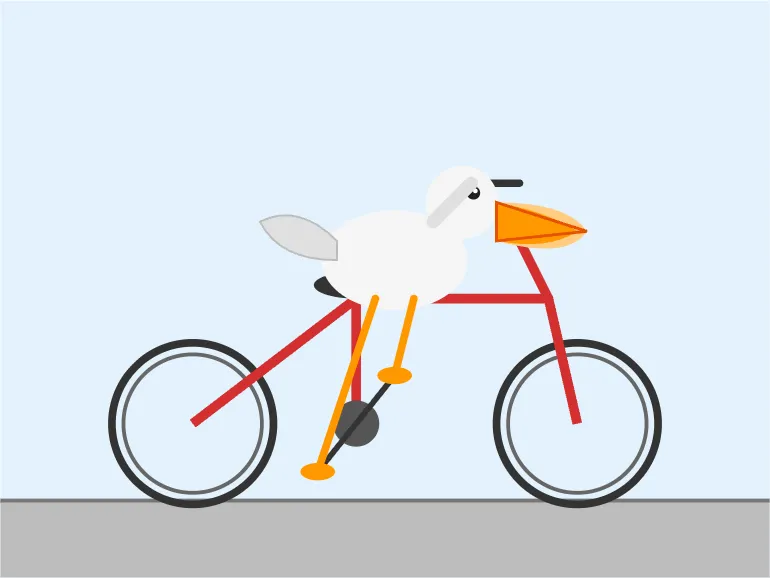




I expected that quantization affects the pelican, to the point that at low ones maybe even the SVG is not correct, or there are some gross errors. But… it feels more like the effect of a seed than something affecting quality much more.
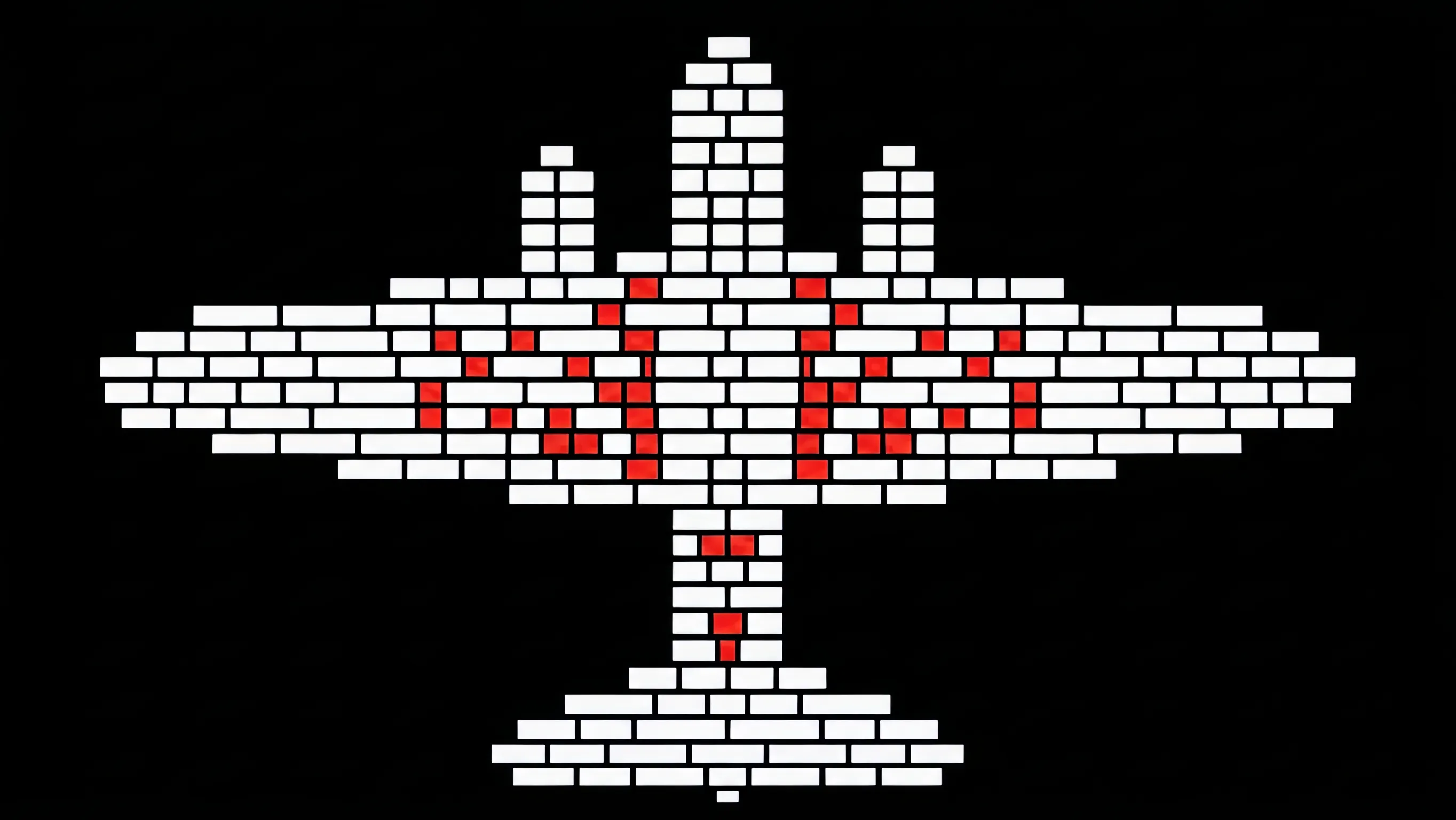
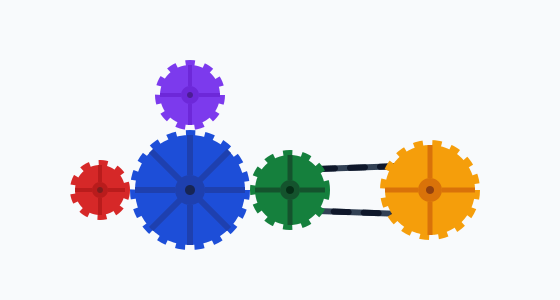
Also, as you might have noticed, the pelican and the gears that opened this blog post come from UD-Q2_K_XL, a 2-bit quantization.
EDIT (29 July 2026): one pelican per model is a seed lottery, so we redid this properly: 5 pelicans per quantization at temperature 1, judged blind by Gemini 3.6 Flash in pairwise duels. The score below is Bradley-Terry strength: a quantization scoring Δ points above another wins their duel with chance 1/(1+e^(-Δ)), so a 1-point gap means winning about 73% of the time.
From BF16 down to 4-bit, the ranking is noise - the judge cannot reliably tell the quantizations apart. 3-bit sits at the edge, and the 2-bit ones genuinely lose: UD-IQ2_XXS sits about 3 points below the field, losing roughly 19 of 20 duels against an average quantization.
Gears
Then I went for something more advanced that requires more accurate spatial reasoning: gears. First I tried something open-ended, but it was hard to evaluate.
Generate an animated SVG, viewBox 0 0 560 300, no text. Five gears with teeth proportional to their radii: A r=30 center (100,190); B r=60 center (190,190) meshing A; C r=40 center (290,190) meshing B; D r=50 center (430,190), driven from C by a belt on pulleys of half each gear’s radius; E r=35 center (190,95) meshing B. Fill colors: A #d62828, B #1d4ed8, C #15803d, D #f59e0b, E #7c3aed. A turns clockwise at 30 RPM. Animate all rotations with correct speeds and directions.
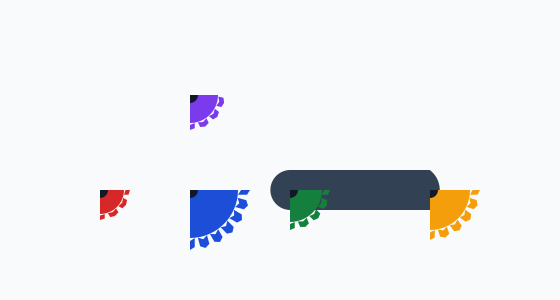

To my surprise, even here answers were all over the place. Sometimes there were timeouts for the best models that were overzealous in drawing every single cog and overcomplicated it.
I had a few other approaches and the results were similar. Sometimes there was some mild tendency for the smallest (especially 2-bit) models to produce worse results, but overall noise dominated. All were in a similar class.
Benchmarks
If looking at a few examples is not enough, I decided to go for benchmarks. This time it was a bit too much for my own machine - it would take too long to compute, and I was afraid of turning my laptop into a toaster.
So I went with running in the cloud on Modal.
Terminal-Bench 2.1
First, I started with Terminal-Bench 2.1, as it is both popular and easy to run. I ran only some quantizations, to stay with a sane budget. Burned $543.
I expected to get a cliff, and what I got instead is noise. Many tasks didn’t finish within the 900-second budget: it is calibrated for fast API models, while a reasoning model spends 10-30k tokens thinking before each action, even on an H100.
AIME
Then I went with the AIME-120 dataset of math problems - faster to run, and long chains of reasoning should compound any small errors. We used temperature 0.6, top-p 0.95, 32k token limit as in Quantization Hurts Reasoning? arXiv:2504.04823. Initially we were running on H100, but later turned to L40S - burning $889 in total.
Again, all models with 4-bit quantization or more were close to the full model, up to noise. Even a few 3-bit quantizations were high.
Within 3-bit, Q3_K_M scored 73.3%, while Q3_K_S only 54.2%. What matters more than weight is the Kullback-Leibler divergence - quantizations below 0.05 scored close to BF16, while all above 0.08 dropped.
For scale, our 70.8% for the full BF16 model is close to OpenAI o1’s 74.4% (September 2024).
And how about speed?
On my Apple silicon MacBook (M5 Max), there is not much of a speed change. Quantization buys memory, not speed: only the stored weights are 2-bit or 4-bit, while the math runs on 16-bit floats, so each matrix multiplication unpacks them anyway.
For reference, on the same quantization (UD-Q2_K_XL) and the same prompts: my MacBook Pro M5 Max 128 GB gave 30 tok/s, an NVIDIA L40S (Ada Lovelace, the same die as RTX 4090, but more memory) 94 tok/s, and an H100 (Hopper) 112 tok/s.
Conclusion
I expected that quantization would lobotomize a model. To my surprise, the change is much more subtle.
Sure, 2-bit models are slightly worse. 3-bit depends a lot on details - but for 4-bit ones and above, the quality is basically the same. If you just want a file to download: Q4_K_M or UD-Q4_K_XL. About 3x smaller than the full model, and indistinguishable in all our tests.
Sure, other models can work differently, with different size-quality trade-offs. Yet, the core thing stays the same - quantization is no longer a dirty trick but a standard way to reduce size. It may not make things faster, but it very likely reduces size with little to no reduction in quality - see a recent preprint Quantize with Confidence, arXiv:2607.14181 showing that with good quantization, models retain most of their power. At the same time, factual knowledge cannot be compressed - at some point, loss is inevitable.
And what is your experience with using quantized models?
Discuss on LinkedIn, X, Hacker News or Reddit.